Product · Innovation & Discovery
Designing for PDF accessibility
Exploring an uncertain problem and shaping a product opportunity.
- Place
- Siteimprove, Accessibility product.
- Role
- Led design: research, concepts, UX and prototyping.
- Team
- Product manager, developers, quality engineers, UX, marketing.
- Timeline
- Two quarters, alongside other projects.
Project highlights
~10 customer interviews
Uncovered accessibility challenges across large PDF libraries.
30–40 survey responses
Validated concepts through an unmoderated Maze study.
Adoption targets met
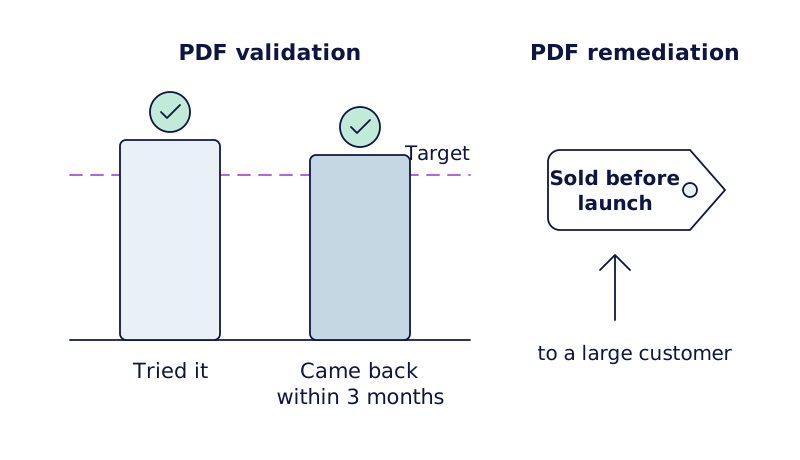
PDF validation solution met its targets for initial use and return usage within three months.
Sold before launch
PDF remediation solution secured a large customer before general availability.
Context
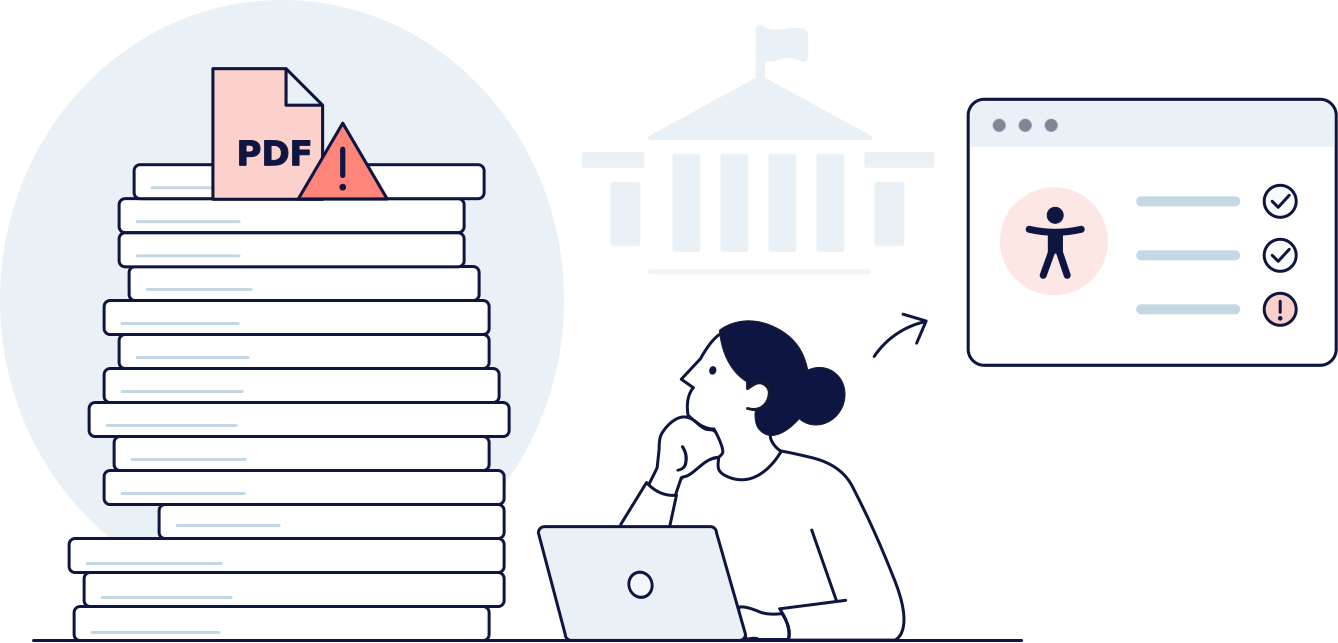
Large organisations such as universities and public institutions manage thousands of PDFs, from reports and policies to forms and learning materials. Many need to meet accessibility requirements, but checking and fixing documents one by one is slow and often requires specialist knowledge.
Siteimprove already helped customers identify accessibility issues on websites, and customers were asking for similar support with PDFs. I worked with the product manager to explore how we could help organisations manage PDF accessibility more effectively.
Discovery
Over a couple of weeks, we interviewed around ten customers, many responsible for coordinating accessibility across large organisations.
We learned that responsibility often sat with a central digital or accessibility team, while documents were created across many departments. These teams had to fix documents themselves, coordinate with colleagues or pay external specialists. Identifying problems was only part of the challenge; resolving them across large document libraries was a major bottleneck.
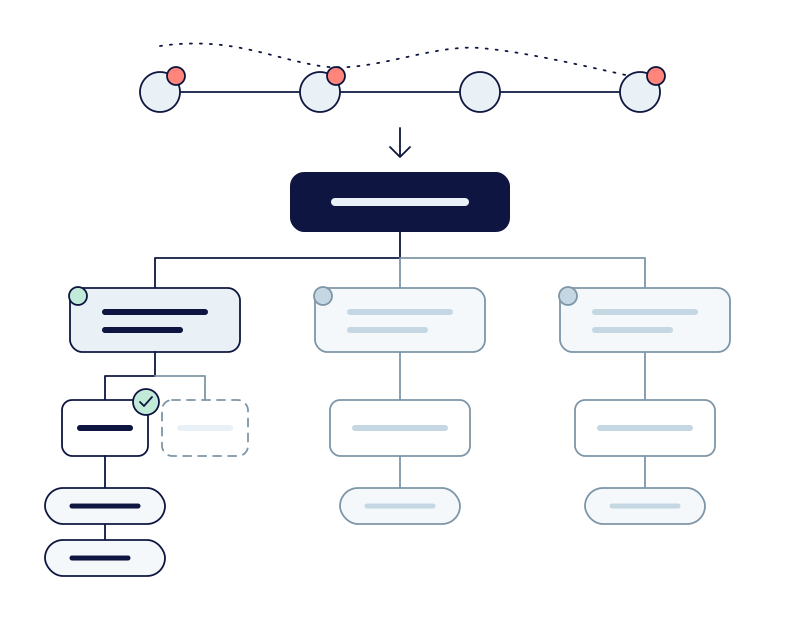
Mapping the customer journey helped us understand the challenges across the document lifecycle, from checking PDFs before publication to addressing issues in existing documents. We also identified foundational problems, such as missing document structure and image descriptions, that could make PDFs difficult to navigate with assistive technology.
This research gave us a broader understanding of the problem and helped us identify opportunities to make both finding and fixing accessibility issues easier.
Direction
Starting with PDF validation.
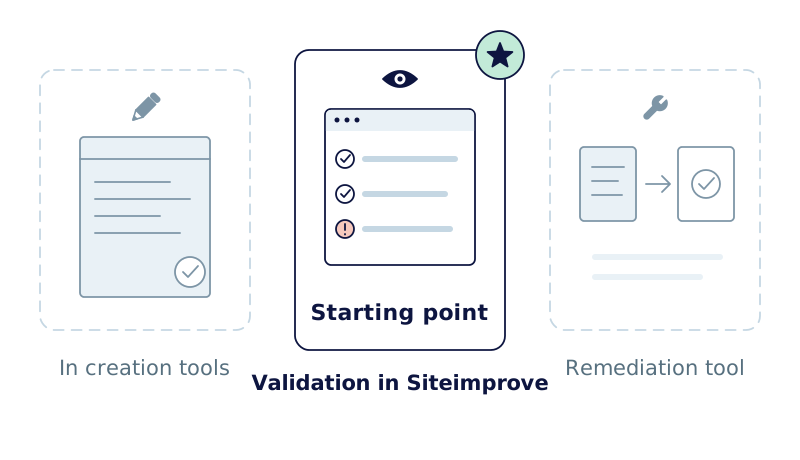
We explored different approaches through low-fidelity concept illustrations, including integrating checks into document-creation tools, adding validation to Siteimprove, and building a tool to remediate existing PDFs.
I used the illustrations in customer interviews to explore the approaches and understand which best addressed their needs. Based on this feedback, we chose PDF validation in Siteimprove as our starting point.
I then used the concepts in conversations with developers to balance customer needs with technical requirements and the project timeline. To validate the specific PDF validation concept, I ran an unmoderated Maze study distributed through Pendo, gathering around 30–40 responses. The findings supported the proposed concept and reinforced the need for remediation.
Design
Making validation part of the workflow.
I led the design of the validation experience, working closely with the product manager, developers and quality engineers.
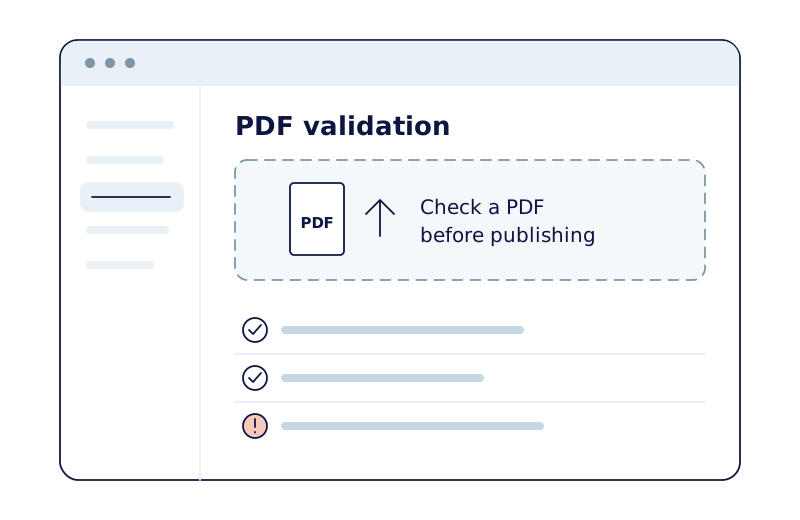
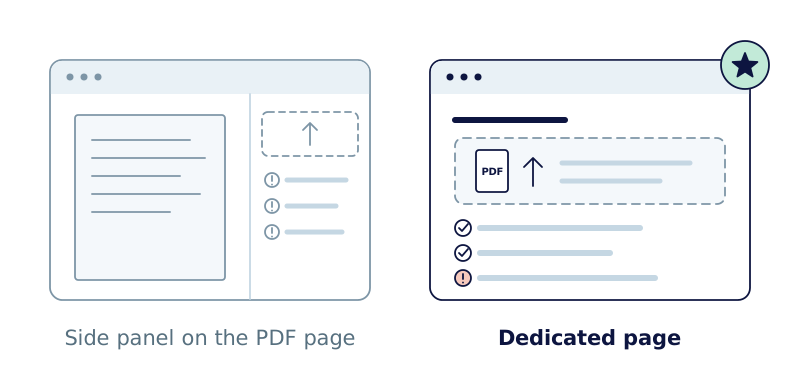
One key decision was where validation should live. The initial suggestion was to add it to a side panel on the existing PDF page. I was concerned this would make the feature easy to miss and blur two different tasks: checking a new document before publication and reviewing issues in a document already online. After involving the wider UX team, we aligned around a dedicated page.
I worked with developers and quality engineers to clarify interactions, states and edge cases, and with Marketing and Translation to settle on straightforward feature naming for an international audience.
Moving from finding issues to fixing them.
After validation launched, we moved on to the next opportunity: helping customers fix accessibility issues across multiple PDFs.
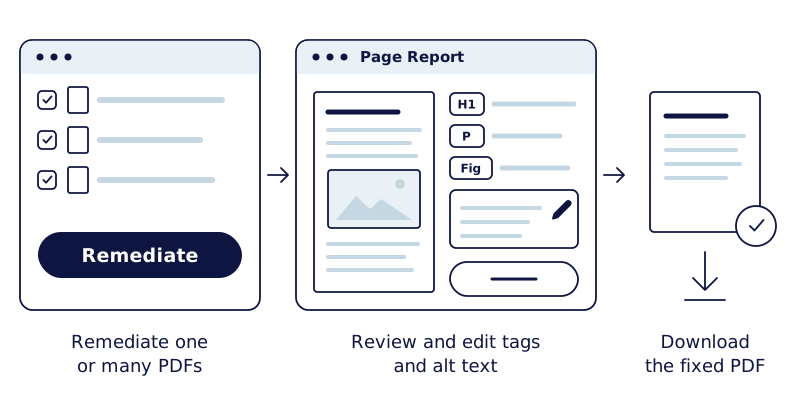
Building on our earlier research, we explored an experience that could remediate one or more PDFs, automatically adding foundational accessibility elements such as document tags and image alt text. Customers could then review a report of the proposed fixes and download the remediated documents.
The aim was to automate time-consuming fixes and make documents more accessible at scale, while recognising that more complex issues might still require manual attention.
I created an interactive prototype using Figma Make and tested it with customers. To evaluate the quality of the proposed solution using real documents, I also designed an in-product experiment inviting customers to submit three PDFs for remediation and assess the results. The product manager and quality engineers coordinated the manual service workflow behind the experiment.
Outcome
The PDF validation feature launched and met both customer adoption targets: one focused on customers trying the feature, and another on customers returning to use it within the first three months. This gave the team a positive signal about engagement with the new capability.
The work then progressed into PDF remediation, moving the product beyond identifying issues towards helping customers resolve them at scale. When I left Siteimprove, the remediation solution was approaching general availability and had already been sold to a large customer ahead of its general release. Sales was also using the prototype in conversations with prospective customers.
Reflection
The project reinforced the value of involving customers throughout the product journey: first to understand where they struggle, then to test whether a proposed solution addresses the problem in practice.
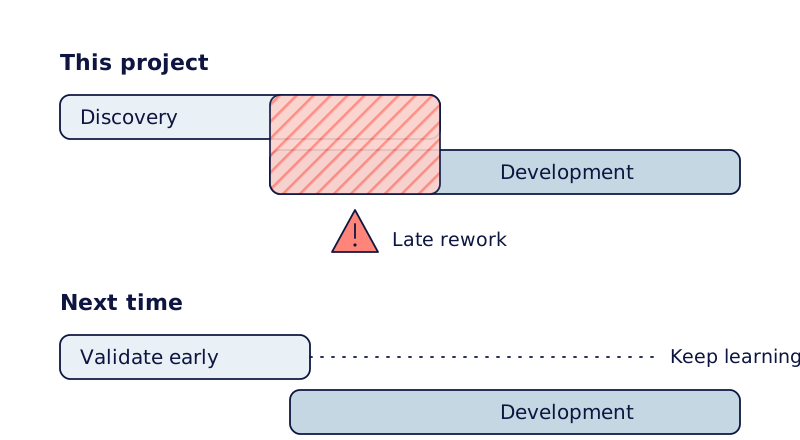
It also showed me the cost of discovery running too close to development. With a shifting roadmap and pressure to build, new findings could mean reworking decisions late in the process. Given the chance to do it again, I would advocate for more time to explore and validate the riskiest assumptions earlier, while still leaving room to learn as the work progresses.
Diagrams on this page are illustrative recreations. They use generic interface elements, not Siteimprove's product screens.